


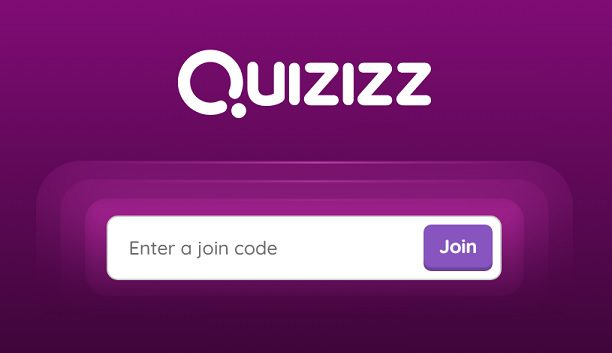
JoinMyQuiz is a popular way for students, teachers, trainers, and organizations to participate in interactive online quizzes. Instead of downloading complicated software or creating lengthy accounts, participants can join a live quiz in just a few moments by entering a unique game code provided by the host.
Interactive quizzes have become an important part of modern education and workplace training. They encourage active participation, provide instant feedback, and make learning more engaging than traditional paper-based assessments. Whether you’re joining a classroom activity, a virtual training session, or a fun trivia competition, understanding how JoinMyQuiz works can help you get started quickly.
This guide explains how to join a quiz game step by step, common issues you may encounter, and practical tips for enjoying a smooth quiz experience.
What Is JoinMyQuiz?
JoinMyQuiz is the page or process participants use to enter a live quiz hosted on the Quizizz platform. Instead of creating or managing quizzes, users simply enter a game code supplied by the host to join an active session.
Teachers frequently use JoinMyQuiz to make classroom lessons more interactive, while businesses and training organizations use it to test knowledge and encourage participation during workshops or meetings.
Because quizzes run online, participants can usually join from almost anywhere with an internet connection.
How JoinMyQuiz Works
The process is designed to be quick and user-friendly.
A teacher or quiz host first creates a quiz and starts a live game. The system then generates a unique participation code.
Participants visit the JoinMyQuiz page, enter the code, choose a display name if required, and join the session.
Once the host begins the game, questions appear on each participant’s device, allowing everyone to answer in real time.
Scores are calculated automatically, creating a competitive and engaging learning environment.
Step-by-Step Guide to Joining a Quiz
Step 1: Receive the Quiz Code
Before joining, you’ll need the unique game code provided by your teacher, instructor, or event organizer.
Without this code, you won’t be able to access the live quiz session.
Step 2: Visit the JoinMyQuiz Page
Open your preferred web browser on a computer, tablet, or smartphone.
Navigate to the JoinMyQuiz page where participants enter their game code.
Step 3: Enter the Game Code
Type the code exactly as provided.
Even one incorrect digit can prevent you from joining the correct quiz.
Double-check your entry before continuing.
Step 4: Choose Your Name
Many hosts allow participants to select a display name.
Use an appropriate name that your teacher or organizer can easily recognize.
Some quizzes may automatically assign names or require school account authentication.
Step 5: Wait for the Host
After joining successfully, you’ll usually enter a waiting screen until the host starts the quiz.
Once the session begins, questions will appear automatically on your device.
Devices You Can Use
One of the biggest advantages of JoinMyQuiz is device compatibility.
Most participants join using:
- Desktop computers
- Laptop computers
- Android smartphones
- iPhones
- Tablets
- Chromebooks
As long as your device has a modern web browser and internet connection, joining is generally straightforward.
Benefits of JoinMyQuiz
Interactive quizzes provide several advantages over traditional testing methods.
Faster Participation
Participants can join within minutes using only a game code.
Instant Feedback
Many quizzes display correct answers and scores immediately after each question or at the end of the game.
Increased Engagement
Colorful interfaces, timers, leaderboards, and friendly competition encourage greater participation.
Remote Learning Support
Students can join quizzes whether they’re in the classroom or learning from home.
Easy Accessibility
The platform works across multiple devices without requiring complicated installation processes.
Tips for a Better Quiz Experience
Following a few simple practices can improve your performance.
Use a stable internet connection.
Join the quiz a few minutes before the scheduled start time.
Keep your device charged during longer sessions.
Close unnecessary browser tabs to improve performance.
Read every question carefully before selecting an answer.
Avoid refreshing the page during an active quiz unless instructed by the host.
Common JoinMyQuiz Problems
Although joining is usually simple, users occasionally experience issues.
Invalid Game Code
This often occurs when:
- The code was entered incorrectly.
- The host ended the session.
- A new code has been generated.
Always verify the latest code with the organizer.
Slow Internet Connection
Poor internet speed may cause delays when loading questions or submitting answers.
Connecting to a stronger Wi-Fi network usually improves performance.
Browser Compatibility
Older browsers may not display quizzes correctly.
Updating your browser often resolves these issues.
Session Closed
Some quizzes only remain open for a limited period.
If the host has already ended the session, you’ll need a new invitation.
Why Teachers Use JoinMyQuiz
Teachers increasingly rely on interactive quiz platforms because they encourage active learning.
Benefits include:
- Real-time assessment
- Automatic grading
- Student engagement
- Classroom participation
- Progress tracking
- Reduced paperwork
These features allow instructors to spend more time teaching and less time grading.
Why Students Enjoy JoinMyQuiz
Students often find quiz-based learning more enjoyable than traditional testing.
Interactive features such as timers, points, rankings, and colorful graphics create an experience that feels more like a game than an exam.
This approach can improve motivation and participation while helping students review important concepts.
Best Practices for Hosts
If you’re organizing a quiz, consider these recommendations:
Share the game code clearly.
Allow enough time for participants to join.
Test your internet connection before starting.
Use meaningful quiz questions.
Explain the rules before beginning.
Monitor participant progress throughout the session.
Good preparation helps create a smoother experience for everyone.
Frequently Asked Questions
What is JoinMyQuiz?
JoinMyQuiz is the page participants use to enter a live Quizizz game by entering a unique game code provided by the quiz host.
Do I need an account?
Many live quizzes allow participants to join using only the game code, although some organizations or schools may require account authentication.
Can I join from my phone?
Yes. Smartphones, tablets, laptops, desktops, and Chromebooks are commonly supported.
Why isn’t my game code working?
Possible reasons include typing errors, expired sessions, incorrect codes, or quizzes that have already ended.
Is JoinMyQuiz free?
Many Quizizz features are available without cost for participants, although hosts may use different subscription plans depending on their needs.
Conclusion
JoinMyQuiz makes participating in online quizzes quick, simple, and engaging. By entering a game code, participants can join live educational activities, training sessions, or trivia competitions from almost any internet connected device. Its ease of use, instant feedback, and interactive features have made it a popular choice among teachers, students, businesses, and organizations worldwide.
